
Materials needed:
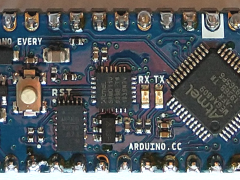
- Arduino Nano
- HC-SR04 ultrasonic sensor
- Breadboard
- Jumper wires
- USB cable
- Computer with Arduino IDE installed
Steps:
- Connect the HC-SR04 ultrasonic sensor to the breadboard.
- Connect the VCC pin of the HC-SR04 to the 5V pin on the Arduino Nano.
- Connect the GND pin of the HC-SR04 to the GND pin on the Arduino Nano.
- Connect the Trig pin of the HC-SR04 to the D10 pin on the Arduino Nano.
- Connect the Echo pin of the HC-SR04 to the D11 pin on the Arduino Nano.
- Connect the Arduino Nano to your computer using the USB cable.
- Open the Arduino IDE on your computer.
- Select the correct board and port in the Tools menu.
- Create a new sketch by clicking on File -> New.
- Copy and paste the following code into the new sketch:
Code
#define trigPin 10
#define echoPin 11

void setup() {
Serial.begin(9600);
pinMode(trigPin, OUTPUT);
pinMode(echoPin, INPUT);
}

void loop() {
long duration, distance;
digitalWrite(trigPin, LOW);
delayMicroseconds(2);
digitalWrite(trigPin, HIGH);
delayMicroseconds(10);
digitalWrite(trigPin, LOW);
duration = pulseIn(echoPin, HIGH);
distance = (duration / 2) / 29.1;
Serial.print("Distance: ");
Serial.println(distance);
delay(500);
}- Verify and upload the code to the Arduino Nano by clicking on the Verify and Upload buttons in the Arduino IDE.
- Open the Serial Monitor by clicking on Tools -> Serial Monitor.
- The distance measurement in centimeters should now be displayed in the Serial Monitor.
- Test the sensor by placing an object in front of it and observe the distance measurement on the Serial Monitor.